
Split Bills & Expenses

Split the bill.
Keep the friendship.

Add an expense, tap split, and Monet shows exactly who owes what, so you settle up in seconds. Splitting bills with friends shouldn't ruin the trip.

How it works

Four steps. Zero math.

Monet makes shared expenses effortless. Add what you paid, choose who's in, and Monet does the math, so nobody's stuck with a spreadsheet or an awkward "hey, you still owe me" text.

1

Create a group

Create a group and add your friends: roommates, travel buddies or the dinner crew.

2

Log expenses

Log expenses as they happen. Monet remembers who paid and splits it automatically.

3

Monet tracks balances

Every balance updates automatically, in real time. No spreadsheets, no math.

4

Settle Up

Tap "Settle Up" and everyone knows exactly what to pay. Done.
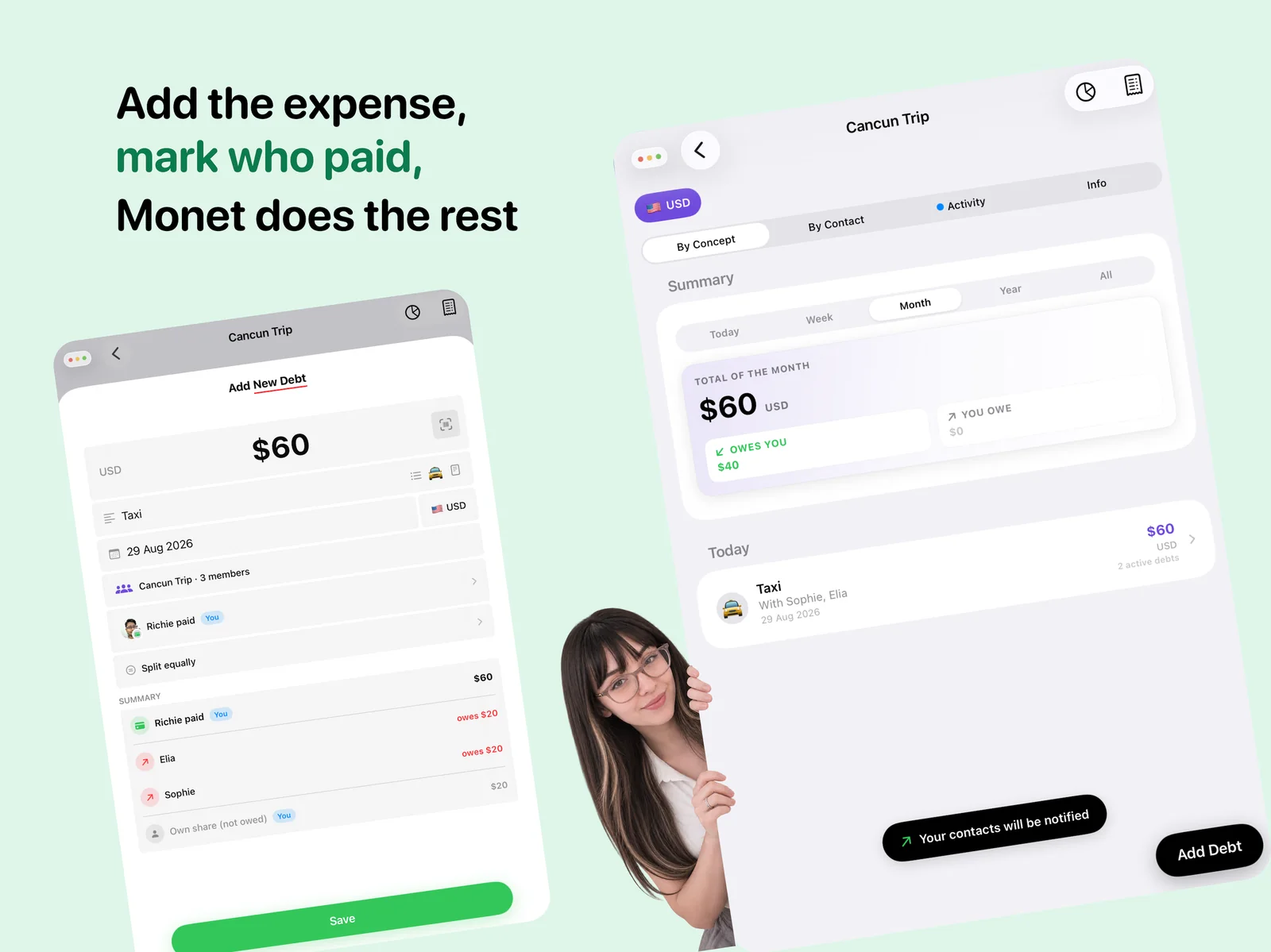
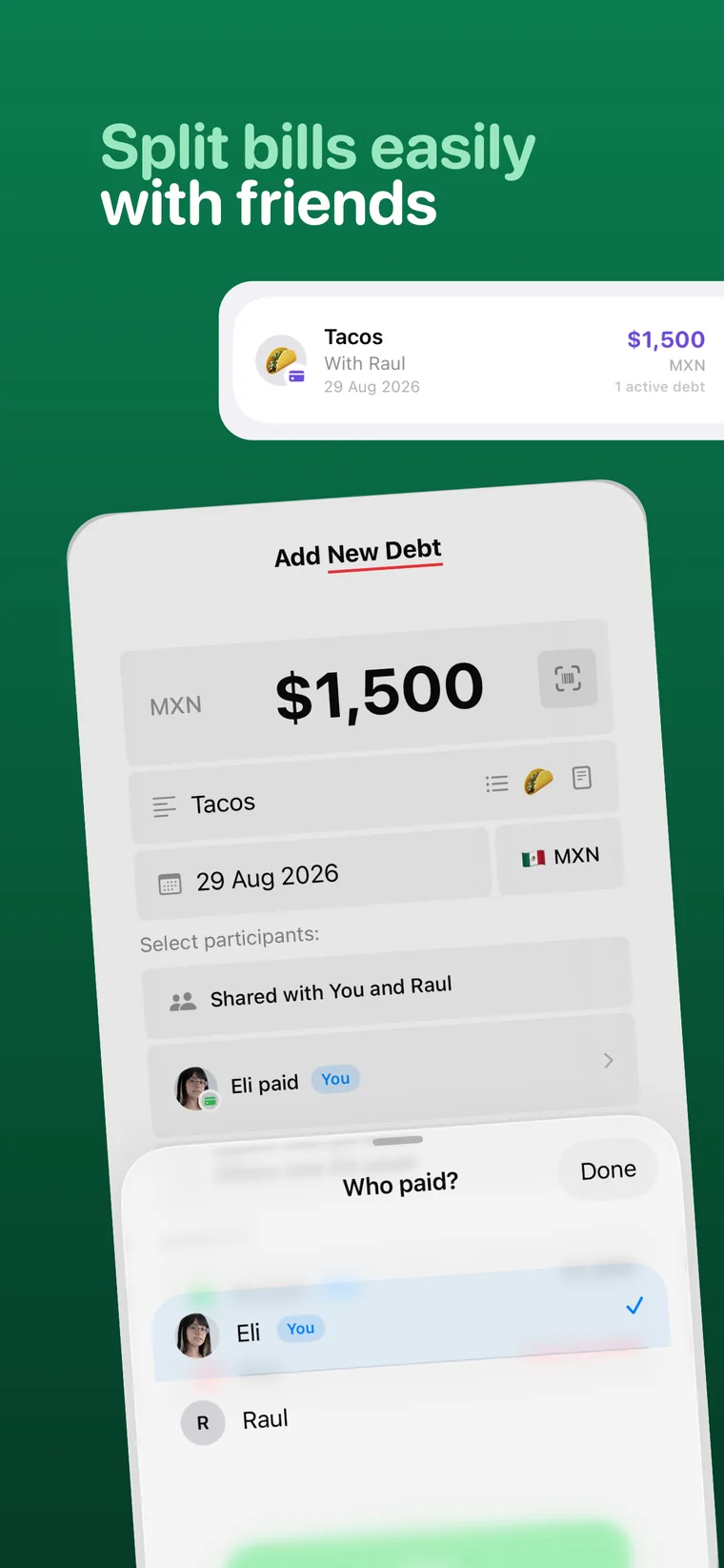
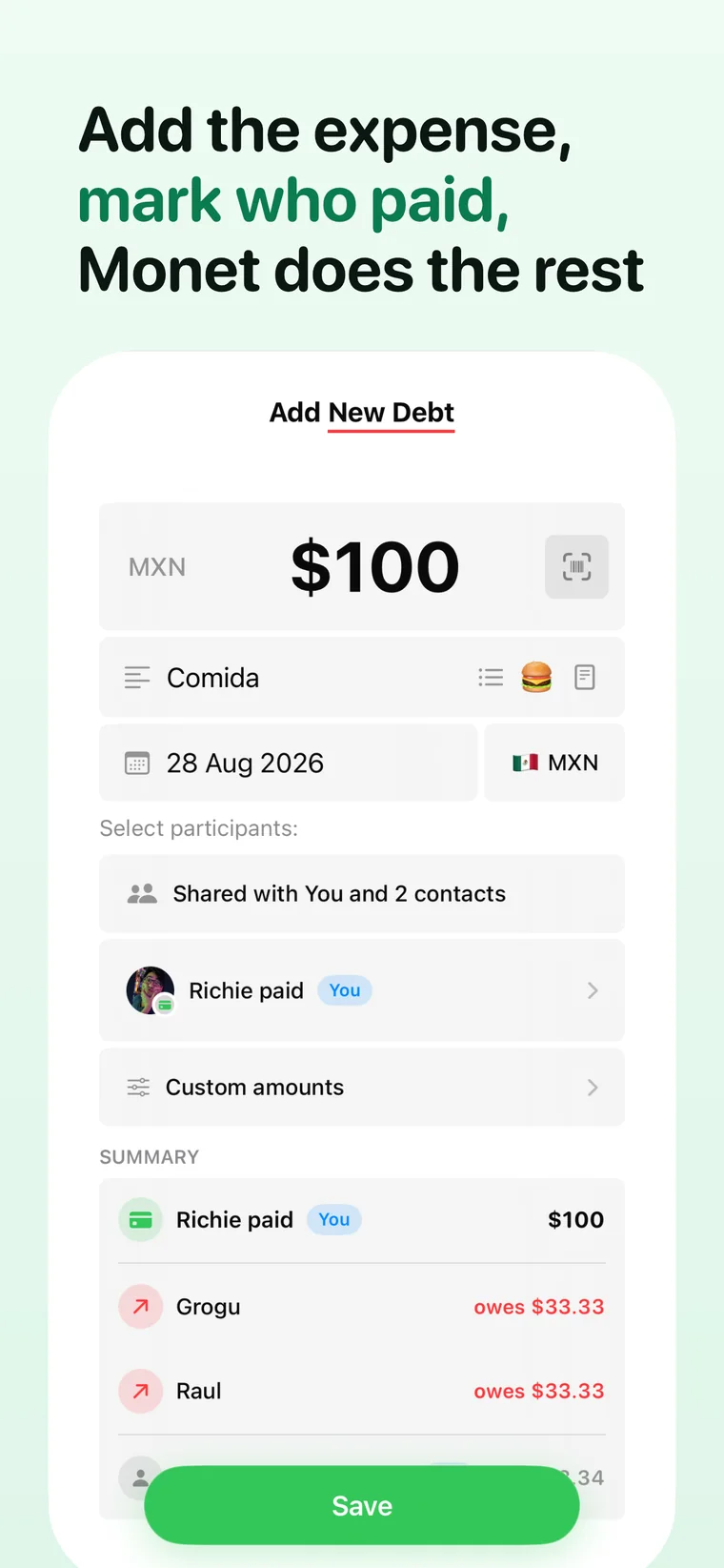
Add an expense in Monet, mark who paid and let Monet split it

Enter the amount, pick the people, mark who paid. Monet does the rest and tells everyone what they owe.
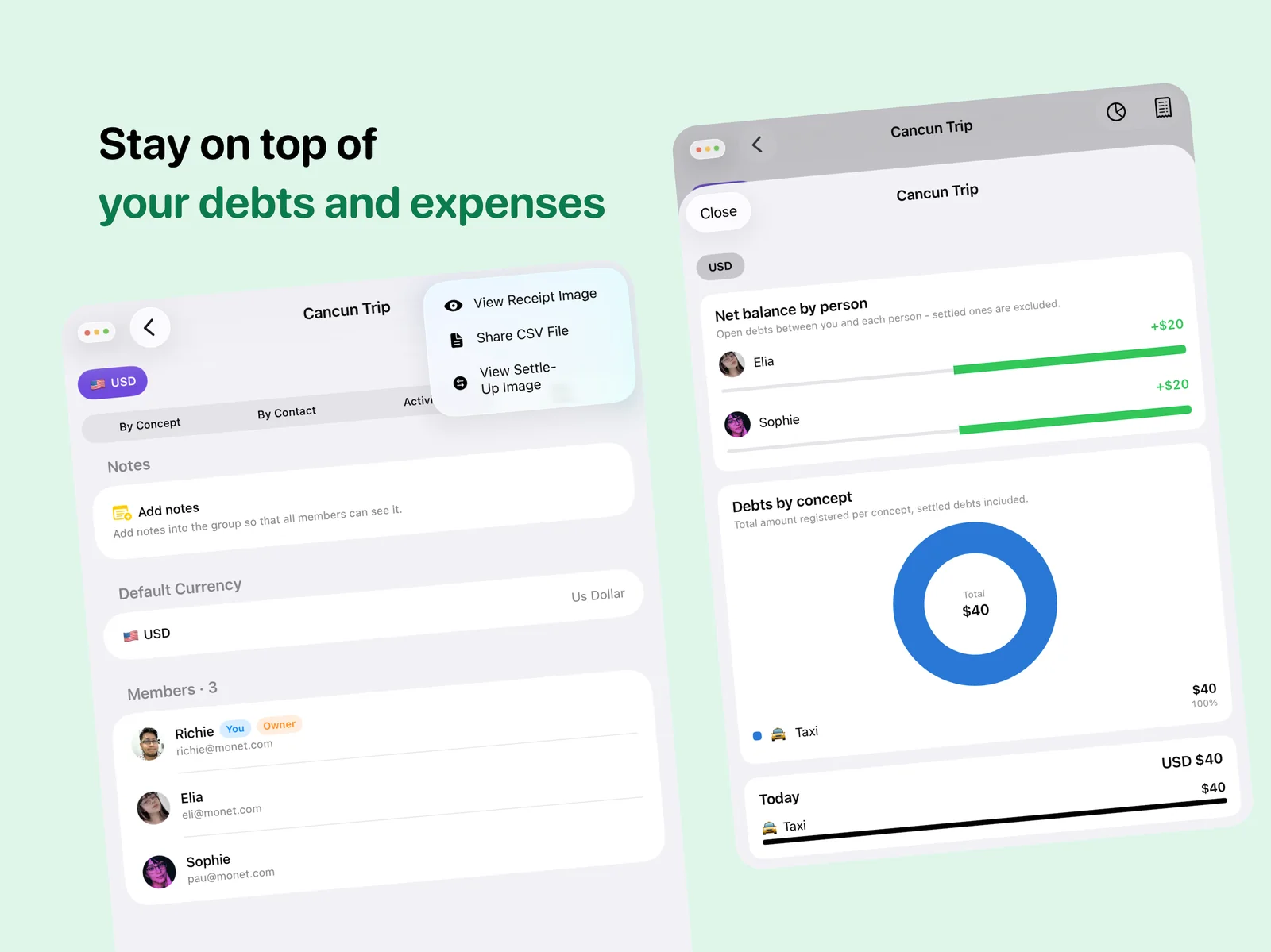
Monet group detail with net balance per person and a chart of debts by concept

Open any group to see the net balance per person, a chart of every concept and the receipts behind each expense.

Why people love Monet

Everything you need to settle up.

No more forgotten IOUs. No more math. No more awkward reminders.

Add an expense in seconds

Monet remembers who paid and splits it automatically, the moment you log it.

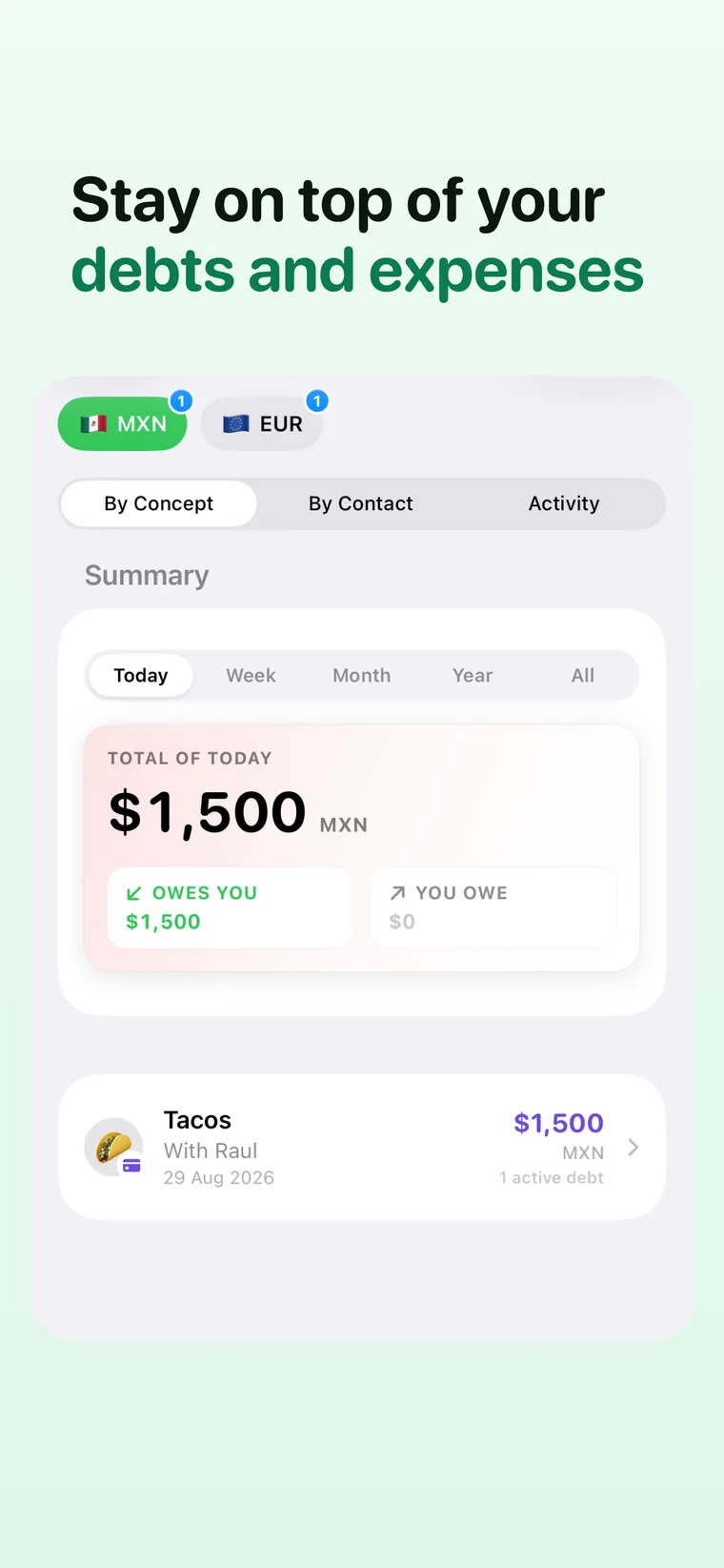
See who owes what at a glance

Running balances update in real time, with no math required, ever.

Settle up the smart way

Monet simplifies debts across the group so you make the fewest payments possible.

Split it your way

Equally, by percentage, by shares, or exact amounts. You choose how to divide it.

Made for every group

Roommates, couples, friends on a trip, or a dinner tab. Monet fits them all.

Keep friendships intact

No more awkward "hey, you still owe me" texts. Monet does the reminding for you.

Perfect for

Made for every kind of group.

From monthly rent to a one-night dinner tab, Monet keeps every shared expense fair and clear.

Roommates

Rent, utilities, groceries, and household bills.

Trips & vacations

Hotels, flights, meals, and activities.

Nights out

Dinners, drinks, and group tabs.

Couples

Everyday shared spending, without the mental ledger.

Switching from Splitwise?

A Splitwise alternative built for iPhone.

The same easy splitting, with equal, percentage, share and exact splits plus debt simplification, in an app designed for Apple devices and available in English and Spanish. Monet Pro is US$2.99 a month in the US.

Compare Monet vs Splitwise

FAQ

Questions about splitting expenses with Monet

What is Monet?

Monet is an app to split bills and shared expenses with friends, roommates, couples and travel groups. You log what you paid and who was in, and Monet keeps a running balance of who owes what until everyone settles up.

Is Monet free?

Yes, Monet is free to download on the App Store. The optional Monet Pro subscription (US$2.99 a month in the US; prices vary by country) unlocks unlimited expenses, groups and debts, the receipt scanner, charts per currency, CSV export, offline mode and calendar reminders for payment dates.

How do I split a bill with friends in Monet?

Create a group and invite your friends, add the expense with the amount and who paid, and choose who was in. Monet splits it automatically and updates everyone's balance. When you're ready, tap Settle Up to see exactly who has to pay whom.

Can I split an expense unequally?

Yes. You can split equally, by percentage, by shares or by exact amounts, so it works for rent split by room size, a dinner where someone only had a drink, or anything in between.

Does Monet work with multiple currencies?

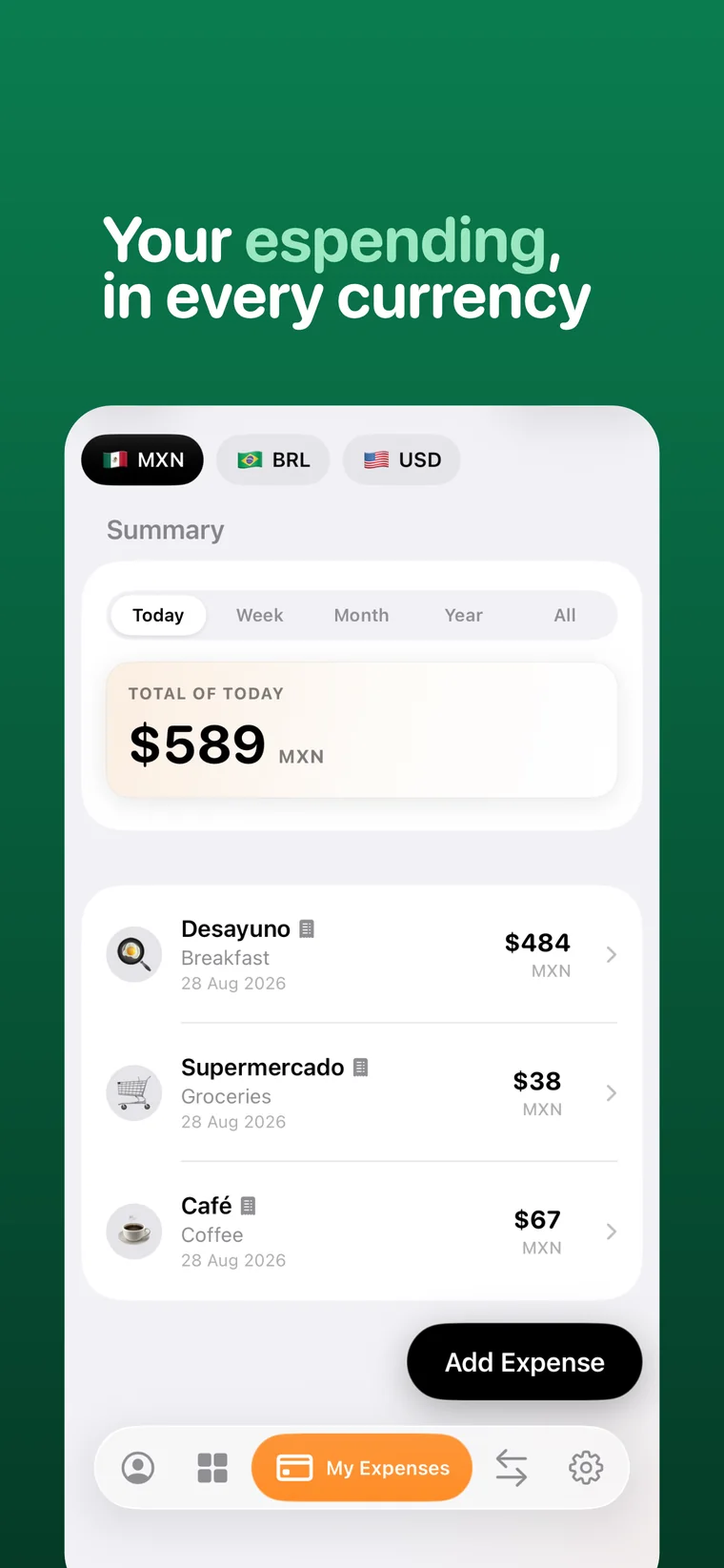
Yes. Each expense keeps its own currency and Monet shows balances per currency, which is handy for trips abroad. Monet Pro adds charts per currency.

Is Monet a good Splitwise alternative?

If your group uses iPhone, yes. Monet covers the core of Splitwise (groups, flexible splits, debt simplification and settling up) in English and Spanish, and Monet Pro is usually cheaper than Splitwise Pro. See the full Monet vs Splitwise comparison.

Which devices does Monet run on?

Monet is on the App Store for iPhone and iPad, Macs with Apple silicon and Apple Vision Pro, and needs iOS 26 or later (or the matching iPadOS, macOS or visionOS version).

What happens to my data?

Monet's App Store privacy label is "Data Not Collected", and the receipt scanner processes photos on your device. Read the Privacy Policy for details.

Get Monet

Split expenses the easy way.

Download Monet and start settling up today.

Download on the App Store

Free to download. No more forgotten IOUs.